

本文探討下藍牙方面的隱藏API。用過Android系統設置(Setting)的人都知道藍牙搜索之后可以建立配對和解除配對,但是這兩項功能的函數沒有在SDK中給出,那么如何去使用這兩項功能呢?本文利用JAVA的反射機制去調用這兩項功能對應的函數:createBond和removeBond,具體的發掘和實現步驟如下:
1.使用Git工具下載platform/packages/apps/Settings.git,在Setting源碼中查找關于建立配對和解除配對的API,知道這兩個API的宿主(BluetoothDevice);
2.使用反射機制對BluetoothDevice枚舉其所有方法和常量,看看是否存在:
view plaincopy to clipboardprint?
static public void printAllInform(Class clsShow) {
try {
// 取得所有方法
Method[] hideMethod = clsShow.getMethods();
int i = 0;
for (; i < hideMethod.length; i++) {
Log.e("method name", hideMethod[i].getName());
}
// 取得所有常量
Field[] allFields = clsShow.getFields();
for (i = 0; i < allFields.length; i++) {
Log.e("Field name", allFields[i].getName());
}
} catch (SecurityException e) {
// throw new RuntimeException(e.getMessage());
e.printStackTrace();
} catch (IllegalArgumentException e) {
// throw new RuntimeException(e.getMessage());
e.printStackTrace();
} catch (Exception e) {
// TODO Auto-generated catch block
e.printStackTrace();
}
}
static public void printAllInform(Class clsShow) {
try {
// 取得所有方法
Method[] hideMethod = clsShow.getMethods();
int i = 0;
for (; i < hideMethod.length; i++) {
Log.e("method name", hideMethod[i].getName());
}
// 取得所有常量
Field[] allFields = clsShow.getFields();
for (i = 0; i < allFields.length; i++) {
Log.e("Field name", allFields[i].getName());
}
} catch (SecurityException e) {
// throw new RuntimeException(e.getMessage());
e.printStackTrace();
} catch (IllegalArgumentException e) {
// throw new RuntimeException(e.getMessage());
e.printStackTrace();
} catch (Exception e) {
// TODO Auto-generated catch block
e.printStackTrace();
}
}
結果如下:
11-29 09:19:12.012: method name(452): cancelBondProcess
11-29 09:19:12.020: method name(452): cancelPairingUserInput
11-29 09:19:12.020: method name(452): createBond
11-29 09:19:12.020: method name(452): createInsecureRfcommSocket
11-29 09:19:12.027: method name(452): createRfcommSocket
11-29 09:19:12.027: method name(452): createRfcommSocketToServiceRecord
11-29 09:19:12.027: method name(452): createScoSocket
11-29 09:19:12.027: method name(452): describeContents
11-29 09:19:12.035: method name(452): equals
11-29 09:19:12.035: method name(452): fetchUuidsWithSdp
11-29 09:19:12.035: method name(452): getAddress
11-29 09:19:12.035: method name(452): getBluetoothClass
11-29 09:19:12.043: method name(452): getBondState
11-29 09:19:12.043: method name(452): getName
11-29 09:19:12.043: method name(452): getServiceChannel
11-29 09:19:12.043: method name(452): getTrustState
11-29 09:19:12.043: method name(452): getUuids
11-29 09:19:12.043: method name(452): hashCode
11-29 09:19:12.043: method name(452): isBluetoothDock
11-29 09:19:12.043: method name(452): removeBond
11-29 09:19:12.043: method name(452): setPairingConfirmation
11-29 09:19:12.043: method name(452): setPasskey
11-29 09:19:12.043: method name(452): setPin
11-29 09:19:12.043: method name(452): setTrust
11-29 09:19:12.043: method name(452): toString
11-29 09:19:12.043: method name(452): writeToParcel
11-29 09:19:12.043: method name(452): convertPinToBytes
11-29 09:19:12.043: method name(452): getClass
11-29 09:19:12.043: method name(452): notify
11-29 09:19:12.043: method name(452): notifyAll
11-29 09:19:12.043: method name(452): wait
11-29 09:19:12.051: method name(452): wait
11-29 09:19:12.051: method name(452): wait
3.如果枚舉發現API存在(SDK卻隱藏),則自己實現調用方法:
view plaincopy to clipboardprint?
/**
* 與設備配對 參考源碼:platform/packages/apps/Settings.git
* \Settings\src\com\android\settings\bluetooth\CachedBluetoothDevice.java
*/
static public boolean createBond(Class btClass,BluetoothDevice btDevice) throws Exception {
Method createBondMethod = btClass.getMethod("createBond");
Boolean returnValue = (Boolean) createBondMethod.invoke(btDevice);
return returnValue.booleanValue();
}
/**
* 與設備解除配對 參考源碼:platform/packages/apps/Settings.git
* \Settings\src\com\android\settings\bluetooth\CachedBluetoothDevice.java
*/
static public boolean removeBond(Class btClass,BluetoothDevice btDevice) throws Exception {
Method removeBondMethod = btClass.getMethod("removeBond");
Boolean returnValue = (Boolean) removeBondMethod.invoke(btDevice);
return returnValue.booleanValue();
}
/**
* 與設備配對 參考源碼:platform/packages/apps/Settings.git
* \Settings\src\com\android\settings\bluetooth\CachedBluetoothDevice.java
*/
static public boolean createBond(Class btClass,BluetoothDevice btDevice) throws Exception {
Method createBondMethod = btClass.getMethod("createBond");
Boolean returnValue = (Boolean) createBondMethod.invoke(btDevice);
return returnValue.booleanValue();
}
/**
* 與設備解除配對 參考源碼:platform/packages/apps/Settings.git
* \Settings\src\com\android\settings\bluetooth\CachedBluetoothDevice.java
*/
static public boolean removeBond(Class btClass,BluetoothDevice btDevice) throws Exception {
Method removeBondMethod = btClass.getMethod("removeBond");
Boolean returnValue = (Boolean) removeBondMethod.invoke(btDevice);
return returnValue.booleanValue();
}
PS:SDK之所以不給出隱藏的API肯定有其原因,也許是出于安全性或者是后續版本兼容性的考慮,因此不能保證隱藏API能在所有Android平臺上很好地運行。。。
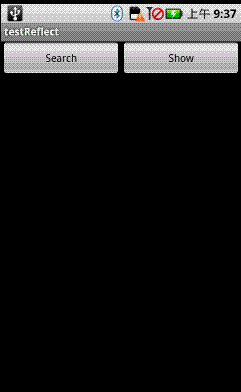
本文程序運行效果如下:
main.xml源碼如下:
view plaincopy to clipboardprint?
android:layout_height="fill_parent">
android:layout_height="fill_parent">
工具類ClsUtils.java源碼如下:
view plaincopy to clipboardprint?
package com.testReflect;
import java.lang.reflect.Field;
import java.lang.reflect.Method;
import android.bluetooth.BluetoothDevice;
import android.util.Log;
public class ClsUtils {
本文探討下藍牙方面的隱藏API。用過Android系統設置(Setting)的人都知道藍牙搜索之后可以建立配對和解除配對,但是這兩項功能的函數沒有在SDK中給出,那么如何去使用這兩項功能呢?本文利用JAVA的反射機制去調用這兩項功能對應的函數:createBond和removeBond,具體的發掘和實現步驟如下:
1.使用Git工具下載platform/packages/apps/Settings.git,在Setting源碼中查找關于建立配對和解除配對的API,知道這兩個API的宿主(BluetoothDevice);
2.使用反射機制對BluetoothDevice枚舉其所有方法和常量,看看是否存在:
view plaincopy to clipboardprint?
static public void printAllInform(Class clsShow) {
try {
// 取得所有方法
Method[] hideMethod = clsShow.getMethods();
int i = 0;
for (; i < hideMethod.length; i++) {
Log.e("method name", hideMethod[i].getName());
}
// 取得所有常量
Field[] allFields = clsShow.getFields();
for (i = 0; i < allFields.length; i++) {
Log.e("Field name", allFields[i].getName());
}
} catch (SecurityException e) {
// throw new RuntimeException(e.getMessage());
e.printStackTrace();
} catch (IllegalArgumentException e) {
// throw new RuntimeException(e.getMessage());
e.printStackTrace();
} catch (Exception e) {
// TODO Auto-generated catch block
e.printStackTrace();
}
}
static public void printAllInform(Class clsShow) {
try {
// 取得所有方法
Method[] hideMethod = clsShow.getMethods();
int i = 0;
for (; i < hideMethod.length; i++) {
Log.e("method name", hideMethod[i].getName());
}
// 取得所有常量
Field[] allFields = clsShow.getFields();
for (i = 0; i < allFields.length; i++) {
Log.e("Field name", allFields[i].getName());
}
} catch (SecurityException e) {
// throw new RuntimeException(e.getMessage());
e.printStackTrace();
} catch (IllegalArgumentException e) {
// throw new RuntimeException(e.getMessage());
e.printStackTrace();
} catch (Exception e) {
// TODO Auto-generated catch block
e.printStackTrace();
}
}
結果如下:
11-29 09:19:12.012: method name(452): cancelBondProcess
11-29 09:19:12.020: method name(452): cancelPairingUserInput
11-29 09:19:12.020: method name(452): createBond
11-29 09:19:12.020: method name(452): createInsecureRfcommSocket
11-29 09:19:12.027: method name(452): createRfcommSocket
11-29 09:19:12.027: method name(452): createRfcommSocketToServiceRecord
11-29 09:19:12.027: method name(452): createScoSocket
11-29 09:19:12.027: method name(452): describeContents
11-29 09:19:12.035: method name(452): equals
11-29 09:19:12.035: method name(452): fetchUuidsWithSdp
11-29 09:19:12.035: method name(452): getAddress
11-29 09:19:12.035: method name(452): getBluetoothClass
11-29 09:19:12.043: method name(452): getBondState
11-29 09:19:12.043: method name(452): getName
11-29 09:19:12.043: method name(452): getServiceChannel
11-29 09:19:12.043: method name(452): getTrustState
11-29 09:19:12.043: method name(452): getUuids
11-29 09:19:12.043: method name(452): hashCode
11-29 09:19:12.043: method name(452): isBluetoothDock
11-29 09:19:12.043: method name(452): removeBond
11-29 09:19:12.043: method name(452): setPairingConfirmation
11-29 09:19:12.043: method name(452): setPasskey
11-29 09:19:12.043: method name(452): setPin
11-29 09:19:12.043: method name(452): setTrust
11-29 09:19:12.043: method name(452): toString
11-29 09:19:12.043: method name(452): writeToParcel
11-29 09:19:12.043: method name(452): convertPinToBytes
11-29 09:19:12.043: method name(452): getClass
11-29 09:19:12.043: method name(452): notify
11-29 09:19:12.043: method name(452): notifyAll
11-29 09:19:12.043: method name(452): wait
11-29 09:19:12.051: method name(452): wait
11-29 09:19:12.051: method name(452): wait
3.如果枚舉發現API存在(SDK卻隱藏),則自己實現調用方法:
view plaincopy to clipboardprint?
/**
* 與設備配對 參考源碼:platform/packages/apps/Settings.git
* \Settings\src\com\android\settings\bluetooth\CachedBluetoothDevice.java
*/
static public boolean createBond(Class btClass,BluetoothDevice btDevice) throws Exception {
Method createBondMethod = btClass.getMethod("createBond");
Boolean returnValue = (Boolean) createBondMethod.invoke(btDevice);
return returnValue.booleanValue();
}
/**
* 與設備解除配對 參考源碼:platform/packages/apps/Settings.git
* \Settings\src\com\android\settings\bluetooth\CachedBluetoothDevice.java
*/
static public boolean removeBond(Class btClass,BluetoothDevice btDevice) throws Exception {
Method removeBondMethod = btClass.getMethod("removeBond");
Boolean returnValue = (Boolean) removeBondMethod.invoke(btDevice);
return returnValue.booleanValue();
}
/**
* 與設備配對 參考源碼:platform/packages/apps/Settings.git
* \Settings\src\com\android\settings\bluetooth\CachedBluetoothDevice.java
*/
static public boolean createBond(Class btClass,BluetoothDevice btDevice) throws Exception {
Method createBondMethod = btClass.getMethod("createBond");
Boolean returnValue = (Boolean) createBondMethod.invoke(btDevice);
return returnValue.booleanValue();
}
/**
* 與設備解除配對 參考源碼:platform/packages/apps/Settings.git
* \Settings\src\com\android\settings\bluetooth\CachedBluetoothDevice.java
*/
static public boolean removeBond(Class btClass,BluetoothDevice btDevice) throws Exception {
Method removeBondMethod = btClass.getMethod("removeBond");
Boolean returnValue = (Boolean) removeBondMethod.invoke(btDevice);
return returnValue.booleanValue();
}
PS:SDK之所以不給出隱藏的API肯定有其原因,也許是出于安全性或者是后續版本兼容性的考慮,因此不能保證隱藏API能在所有Android平臺上很好地運行。。。
本文程序運行效果如下:
main.xml源碼如下:
view plaincopy to clipboardprint?
android:layout_height="fill_parent">
android:layout_height="fill_parent">
工具類ClsUtils.java源碼如下:
view plaincopy to clipboardprint?
package com.testReflect;
import java.lang.reflect.Field;
import java.lang.reflect.Method;
import android.bluetooth.BluetoothDevice;
import android.util.Log;
public class ClsUtils {
/**
* 與設備配對 參考源碼:platform/packages/apps/Settings.git
* \Settings\src\com\android\settings\bluetooth\CachedBluetoothDevice.java
*/
static public boolean createBond(Class btClass,BluetoothDevice btDevice) throws Exception {
Method createBondMethod = btClass.getMethod("createBond");
Boolean returnValue = (Boolean) createBondMethod.invoke(btDevice);
return returnValue.booleanValue();
}
/**
* 與設備解除配對 參考源碼:platform/packages/apps/Settings.git
* \Settings\src\com\android\settings\bluetooth\CachedBluetoothDevice.java
*/
static public boolean removeBond(Class btClass,BluetoothDevice btDevice) throws Exception {
Method removeBondMethod = btClass.getMethod("removeBond");
Boolean returnValue = (Boolean) removeBondMethod.invoke(btDevice);
return returnValue.booleanValue();
}
/**
*
* @param clsShow
*/
static public void printAllInform(Class clsShow) {
try {
// 取得所有方法
Method[] hideMethod = clsShow.getMethods();
int i = 0;
for (; i < hideMethod.length; i++) {
Log.e("method name", hideMethod[i].getName());
}
// 取得所有常量
Field[] allFields = clsShow.getFields();
for (i = 0; i < allFields.length; i++) {
Log.e("Field name", allFields[i].getName());
}
} catch (SecurityException e) {
// throw new RuntimeException(e.getMessage());
e.printStackTrace();
} catch (IllegalArgumentException e) {
// throw new RuntimeException(e.getMessage());
e.printStackTrace();
} catch (Exception e) {
// TODO Auto-generated catch block
e.printStackTrace();
}
}
}
package com.testReflect;
import java.lang.reflect.Field;
import java.lang.reflect.Method;
import android.bluetooth.BluetoothDevice;
import android.util.Log;
public class ClsUtils {
/**
* 與設備配對 參考源碼:platform/packages/apps/Settings.git
* \Settings\src\com\android\settings\bluetooth\CachedBluetoothDevice.java
*/
static public boolean createBond(Class btClass,BluetoothDevice btDevice) throws Exception {
Method createBondMethod = btClass.getMethod("createBond");
Boolean returnValue = (Boolean) createBondMethod.invoke(btDevice);
return returnValue.booleanValue();
}
/**
* 與設備解除配對 參考源碼:platform/packages/apps/Settings.git
* \Settings\src\com\android\settings\bluetooth\CachedBluetoothDevice.java
*/
static public boolean removeBond(Class btClass,BluetoothDevice btDevice) throws Exception {
Method removeBondMethod = btClass.getMethod("removeBond");
Boolean returnValue = (Boolean) removeBondMethod.invoke(btDevice);
return returnValue.booleanValue();
}
/**
*
* @param clsShow
*/
static public void printAllInform(Class clsShow) {
try {
// 取得所有方法
Method[] hideMethod = clsShow.getMethods();
int i = 0;
for (; i < hideMethod.length; i++) {
Log.e("method name", hideMethod[i].getName());
}
// 取得所有常量
Field[] allFields = clsShow.getFields();
for (i = 0; i < allFields.length; i++) {
Log.e("Field name", allFields[i].getName());
}
} catch (SecurityException e) {
// throw new RuntimeException(e.getMessage());
e.printStackTrace();
} catch (IllegalArgumentException e) {
// throw new RuntimeException(e.getMessage());
e.printStackTrace();
} catch (Exception e) {
// TODO Auto-generated catch block
e.printStackTrace();
}
}
}
主程序testReflect.java的源碼如下:
view plaincopy to clipboardprint?
package com.testReflect;
import java.util.ArrayList;
import java.util.List;
import android.app.Activity;
import android.bluetooth.BluetoothAdapter;
import android.bluetooth.BluetoothDevice;
import android.content.BroadcastReceiver;
import android.content.Context;
import android.content.Intent;
import android.content.IntentFilter;
import android.os.Bundle;
import android.util.Log;
import android.view.View;
import android.widget.AdapterView;
import android.widget.ArrayAdapter;
import android.widget.Button;
import android.widget.ListView;
import android.widget.Toast;
public class testReflect extends Activity {
Button btnSearch, btnShow;
ListView lvBTDevices;
ArrayAdapter
List
BluetoothDevice btDevice;
BluetoothAdapter btAdapt;
@Override
public void onCreate(Bundle savedInstanceState) {
super.onCreate(savedInstanceState);
setContentView(R.layout.main);
btnSearch = (Button) this.findViewById(R.id.btnSearch);
btnSearch.setOnClickListener(new ClickEvent());
btnShow = (Button) this.findViewById(R.id.btnShow);
btnShow.setOnClickListener(new ClickEvent());
lvBTDevices = (ListView) this.findViewById(R.id.ListView01);
adtDevices = new ArrayAdapter
android.R.layout.simple_list_item_1, lstDevices);
lvBTDevices.setAdapter(adtDevices);
lvBTDevices.setOnItemClickListener(new ItemClickEvent());
btAdapt = BluetoothAdapter.getDefaultAdapter();// 初始化本機藍牙功能
if (btAdapt.getState() == BluetoothAdapter.STATE_OFF)// 開藍牙
btAdapt.enable();
// 注冊Receiver來獲取藍牙設備相關的結果
IntentFilter intent = new IntentFilter();
intent.addAction(BluetoothDevice.ACTION_FOUND);
intent.addAction(BluetoothDevice.ACTION_BOND_STATE_CHANGED);
registerReceiver(searchDevices, intent);
}
private BroadcastReceiver searchDevices = new BroadcastReceiver() {
public void onReceive(Context context, Intent intent) {
String action = intent.getAction();
Bundle b = intent.getExtras();
Object[] lstName = b.keySet().toArray();
// 顯示所有收到的消息及其細節
for (int i = 0; i < lstName.length; i++) {
String keyName = lstName[i].toString();
Log.e(keyName, String.valueOf(b.get(keyName)));
}
// 搜索設備時,取得設備的MAC地址
if (BluetoothDevice.ACTION_FOUND.equals(action)) {
BluetoothDevice device = intent
.getParcelableExtra(BluetoothDevice.EXTRA_DEVICE);
if (device.getBondState() == BluetoothDevice.BOND_NONE) {
String str = "未配對|" + device.getName() + "|" + device.getAddress();
lstDevices.add(str); // 獲取設備名稱和mac地址
adtDevices.notifyDataSetChanged();
}
}
}
};
class ItemClickEvent implements AdapterView.OnItemClickListener {
@Override
public void onItemClick(AdapterView arg0, View arg1, int arg2,
long arg3) {
btAdapt.cancelDiscovery();
String str = lstDevices.get(arg2);
String[] values = str.split("\\|");
String address=values[2];
btDevice = btAdapt.getRemoteDevice(address);
try {
if(values[0].equals("未配對"))
{
Toast.makeText(testReflect.this, "由未配對轉為已配對", 500).show();
ClsUtils.createBond(btDevice.getClass(), btDevice);
}
else if(values[0].equals("已配對"))
{
Toast.makeText(testReflect.this, "由已配對轉為未配對", 500).show();
ClsUtils.removeBond(btDevice.getClass(), btDevice);
}
} catch (Exception e) {
// TODO Auto-generated catch block
e.printStackTrace();
}
}
}
/**
* 按鍵處理
* @author GV
*
*/
class ClickEvent implements View.OnClickListener {
@Override
public void onClick(View v) {
if (v == btnSearch) {//搜索附近的藍牙設備
lstDevices.clear();
Object[] lstDevice = btAdapt.getBondedDevices().toArray();
for (int i = 0; i < lstDevice.length; i++) {
BluetoothDevice device=(BluetoothDevice)lstDevice[i];
String str = "已配對|" + device.getName() + "|" + device.getAddress();
lstDevices.add(str); // 獲取設備名稱和mac地址
adtDevices.notifyDataSetChanged();
}
// 開始搜索
setTitle("本機藍牙地址:" + btAdapt.getAddress());
btAdapt.startDiscovery();
}
else if(v==btnShow){//顯示BluetoothDevice的所有方法和常量,包括隱藏API
ClsUtils.printAllInform(btDevice.getClass());
}
}
}
}